← Previous | 🏠 Home | Next →

🌟 Overview
The AI landscape is moving at breakneck speed. With thousands of new tools launching every month, the sheer volume of startups and “wrappers” (apps that just resell access to OpenAI’s API) can lead to severe decision fatigue. It can be overwhelming to know which tool to use for which specific task.
This module is your definitive, ultimate reference guide. We have curated, tested, and categorized over 40 of the most reliable, industry-standard AI tools available today. We bypass the hype and focus strictly on utility, features, pricing, and real-world application.
This module is designed to be a living reference document. You will find comprehensive comparison tables followed by deep-dive evaluations for each individual tool. By the end of this module, you will have an encyclopedic knowledge of the AI ecosystem and possess a strict mental framework for evaluating any new AI tools as they emerge.
🗂️ Category 1: Chat & General Purpose Assistants
These are your foundational tools—the daily drivers you use for writing, brainstorming, summarization, formatting text, and general problem-solving.

Retrieval-Augmented Generation (RAG) architecture powering modern chat assistants and grounded knowledge bases
Comparison Table: Chat & General
| Tool Name | Key Differentiator | Free Tier | Pricing | Mobile App |
|---|---|---|---|---|
| ChatGPT | Industry standard, Voice Mode, GPT-4o / o1 | Yes | $20/mo | Yes |
| Claude | Natural writing, 200k context, Artifacts UI | Yes | $20/mo | Yes |
| Gemini | Google Workspace integration, 2M context | Yes | $20/mo | Yes |
| Copilot | Web citations, Microsoft 365 ecosystem | Yes | $20/mo | Yes |
| DeepSeek | Incredible math/coding via R1, budget API | Yes | Varies | Yes |
| Perplexity | Research-focused, web citations, no hallucinations | Yes | $20/mo | Yes |
| Poe | Access to all models in one unified UI | Yes | $20/mo | Yes |
| You.com | Search-oriented, coding mode, multiple models | Yes | $20/mo | Yes |
| Kimi | Superb long-document parsing for Asian markets | Yes | Varies | Yes |
1. ChatGPT (OpenAI)
Description: The tool that started the generative AI revolution. ChatGPT is a highly capable multimodal assistant that can text, see, hear, and run code. It is powered by models like GPT-4o and the advanced reasoning model o1/o3.
- Key Features: Advanced Voice Mode, Custom GPT creation, Data Analysis (Python execution), Web Search.
- Free Tier: Yes. Access to GPT-4o and GPT-4o mini with strict usage limits.
- Pricing: Plus is $20/month. Team is $25/month.
- Pros: Largest ecosystem, most feature-rich interface, incredible logical reasoning capabilities.
- Cons: Paid tiers still enforce usage caps, can sound very corporate if not prompted correctly.
- Accessibility (Iran): Blocked. Requires IP change and virtual number for registration.
- Best For: General daily tasks, complex math, conversational learning.
2. Claude (Anthropic)
Description: Built by former OpenAI researchers, Claude is known for its safety, natural human-like writing, and massive context window. Its “Artifacts” feature allows you to see rendered code (like HTML/React) directly in the chat window.
- Key Features: Artifacts UI, 200,000 token context window, Claude 3.5 Sonnet model.
- Free Tier: Yes, but heavily restricted message limits.
- Pricing: Pro is $20/month.
- Pros: The best writing style of any AI, arguably the best coder (Sonnet 3.5), very low hallucination rate.
- Cons: Phone verification is strict and blocks many regions. Low message limits even on the paid tier.
- Accessibility (Iran): Blocked. Strict phone number verification makes it difficult to register.
- Best For: Writing articles, coding full web applications, analyzing massive PDFs.
3. Gemini (Google)
Description: Google’s flagship multimodal model. Gemini is integrated directly into the Google Workspace ecosystem (Docs, Gmail, Drive). Its defining feature is a staggering 2 million token context window.
- Key Features: 2M token limit, native integration with Google apps, real-time Google Flight/Hotel data.
- Free Tier: Yes, Gemini Flash model.
- Pricing: Advanced is $20/month (included with Google One AI Premium).
- Pros: Can process entire textbooks or 1-hour video files at once. Deep Google ecosystem integration.
- Cons: Frequently refuses to answer benign questions due to overly strict safety alignment.
- Accessibility (Iran): Blocked. Requires IP change.
- Best For: Cross-referencing multiple huge documents, Google ecosystem users.
4. Microsoft Copilot
Description: Formerly Bing Chat, Copilot is powered by OpenAI’s GPT-4 but is deeply connected to the live internet via Bing search. It is also integrated into Word, Excel, and PowerPoint for enterprise users.
- Key Features: Live web search with citations, DALL-E 3 image generation included for free.
- Free Tier: Yes, very generous free access to GPT-4.
- Pricing: Copilot Pro is $20/month.
- Pros: Excellent for researching current events, provides clickable source links, free image generation.
- Cons: Interface can feel cluttered. Frequently interrupts itself if it thinks a topic is sensitive.
- Accessibility (Iran): Generally accessible with basic IP change.
- Best For: Fact-finding, Microsoft Office 365 power users.
5. DeepSeek
Description: The disruptor from China. DeepSeek provides models (like V3 and R1) that rival or beat GPT-4o in mathematics and coding, but at a fraction of the cost, taking an open-weights approach.
- Key Features: R1 reasoning model (Chain of Thought), ultra-cheap API.
- Free Tier: Yes, 100% free web chat interface.
- Pricing: API costs are pennies per million tokens.
- Pros: Incredible logic and coding capabilities, highly cost-effective, open ecosystem.
- Cons: The web application lacks the polished features (like voice mode or custom instructions) of ChatGPT.
- Accessibility (Iran): Accessible, often without strict blocks compared to US-based companies.
- Best For: Complex programming tasks, API developers on a budget.
6. Perplexity AI
Description: An AI-powered answer engine that completely replaces traditional Google Search. It doesn’t guess; it actively reads live websites, synthesizes the information, and provides an answer with footnote citations.
- Key Features: Pro Search (deep multi-step research), “Pages” for creating reports.
- Free Tier: Yes, basic searches.
- Pricing: Pro is $20/month.
- Pros: Eradicates hallucinations by citing sources, completely ad-free search experience.
- Cons: Not designed for creative writing, storytelling, or pure code generation.
- Accessibility (Iran): Requires IP change.
- Best For: Academic research, finding current news, product comparisons.
7. Poe (by Quora)
Description: An aggregator platform. Instead of subscribing to ChatGPT, Claude, and Midjourney separately, Poe allows you to access all major AI models through one interface using a credit system.
- Key Features: Multi-model access, ability to create custom bots using mixed models.
- Free Tier: Yes, daily compute points.
- Pricing: $20/month for millions of points.
- Pros: Ultimate flexibility. You can chat with Claude, then switch to GPT-4, then Llama 3.
- Cons: Heavy usage of flagship models will drain your points quickly before the month ends.
- Accessibility (Iran): Requires IP change.
- Best For: AI generalists who want to try everything without buying 5 different subscriptions.
8. You.com
Description: Similar to Perplexity, You.com started as a search engine but evolved into a powerful multi-model assistant. It has specific “Modes” (Research, Create, Code) to optimize the AI’s behavior.
- Key Features: Multi-model access, specialized coding environment.
- Free Tier: Yes.
- Pricing: $20/month.
- Pros: Excellent for programming research. Good alternative to Poe.
- Cons: The UI is heavily focused on search, which can feel distracting for simple writing tasks.
- Accessibility (Iran): Requires IP change.
- Best For: Developers looking for a search-augmented coding assistant.
🎨 Category 2: Image Generation
For creating assets, mockups, social media posts, UI concepts, and digital art.

Latent Diffusion Models (LDM) architecture: text conditioning and cross-attention mechanics
Comparison Table: Image Generation
| Tool Name | Key Differentiator | Free Tier | Pricing | Strengths |
|---|---|---|---|---|
| Midjourney | High-end artistic/photorealism | No | $10-$30/mo | Texture, composition, beauty |
| DALL-E 3 | Prompt adherence & spelling | Yes (Copilot) | $20/mo (GPT) | Understands complex prompts |
| Flux | Open-source hyper-realism | Free (via Poe) | Varies | Flawless realism and text |
| Leonardo AI | Game assets & canvas control | Yes (Credits) | $10/mo | Fine-grained image editing |
| Ideogram | Typography & text | Yes | $8/mo | Spells words perfectly |
| Adobe Firefly | Commercial safety | Yes (Web) | Adobe Sub | Legally safe for enterprise |
| Stable Diffusion | Total local control | 100% Free | Free | Uncensored, fine-tunable |
| Recraft | Vector graphics (SVG) | Yes | $20/mo | Generates editable vectors |
1. Midjourney (v6)
Description: The undisputed king of aesthetic quality. Midjourney produces the most beautiful, highly-detailed, and photorealistic images on the market, operating entirely through a Discord bot interface (with a web UI slowly rolling out).
- Free Tier: No.
- Pricing: Basic $10/mo, Standard $30/mo.
- Pros: Unmatched artistic quality, incredible lighting and texture, high-resolution upscaling.
- Cons: Forced to use Discord interface (for now), no free tier.
- Best For: Concept art, photorealistic portraits, cinematic scenes.
2. DALL-E 3 (OpenAI)
Description: OpenAI’s image generator built directly into ChatGPT and Microsoft Copilot. It excels at understanding extremely complex, multi-subject prompts.
- Free Tier: Yes (via Microsoft Copilot Designer).
- Pricing: Included with ChatGPT Plus ($20/mo).
- Pros: Follows instructions perfectly, understands spatial relationships (left, right, behind).
- Cons: Images often look “plastic” or overtly AI-generated. Less photorealistic than Midjourney.
- Best For: Illustrations, explanatory diagrams, simple marketing graphics.
3. Flux (Black Forest Labs)
Description: Built by former Stable Diffusion engineers, Flux is the current king of open-source image generation. The Flux.1 [dev] and [schnell] models offer staggering photorealism and perfect text rendering.
- Free Tier: Yes, via platforms like Poe or Fal.ai.
- Pricing: Free if run locally; paid via API/wrapper platforms.
- Pros: Arguably beats Midjourney in raw photorealism and text generation.
- Cons: Requires extremely powerful hardware to run locally, or reliance on third-party sites.
- Best For: Photorealistic humans, product mockups with text.
4. Leonardo AI
Description: A massive suite of image tools designed for game developers and power users. It offers a canvas editor where you can use “ControlNet” to dictate exactly what poses characters should take.
- Free Tier: Yes, generous daily token allowance.
- Pricing: $10 to $30/month.
- Pros: Incredible granular control, live canvas drawing, motion generation.
- Cons: The UI is incredibly dense and has a steep learning curve.
- Best For: Game asset creation, editing existing images, character consistency.
5. Ideogram
Description: An AI image generator built specifically to solve the “spelling problem.” Ideogram can reliably render logos, posters, and signs with perfectly spelled text.
- Free Tier: Yes, daily limits.
- Pricing: $8 to $20/month.
- Pros: Best-in-class text rendering and typography.
- Cons: General aesthetic quality is slightly lower than Midjourney or Flux.
- Best For: Logo design, T-shirt designs, typographic posters.
6. Adobe Firefly
Description: Adobe’s ethically sourced AI model. It was trained exclusively on Adobe Stock images, openly licensed content, and public domain material, ensuring it is commercially safe to use.
- Free Tier: Yes, via the Firefly web app.
- Pricing: Included with Adobe Creative Cloud subscriptions.
- Pros: 100% legally safe for enterprise, deeply integrated into Photoshop (Generative Fill).
- Cons: Heavily censored, struggles to create highly creative or complex sci-fi/fantasy concepts.
- Best For: Corporate marketing, expanding backgrounds in Photoshop.
7. Stable Diffusion (SDXL)
Description: The open-source standard. Stable Diffusion is a model you download and run on your own PC. You can fine-tune it with “LoRAs” to teach it specific faces or styles.
- Free Tier: 100% Free.
- Pricing: Free.
- Pros: Total privacy, completely uncensored, infinite customization via the community.
- Cons: Requires a powerful GPU (Nvidia with 8GB+ VRAM) and complex UI tools like ComfyUI.
- Best For: Power users, developers, creating consistent AI influencers.
8. Recraft
Description: While other tools generate raster images (pixels like PNG/JPG), Recraft generates actual vector graphics (SVG) that can be infinitely scaled and edited in Adobe Illustrator.
- Free Tier: Yes, with watermark/community limitations.
- Pricing: $20/month.
- Pros: True vector generation, excellent for brand consistency and iconography.
- Cons: Not designed for photorealism or photography.
- Best For: Web designers, logo creators, UI/UX asset generation.
🎥 Category 3: Video Generation
Note: Video AI is the fastest evolving category. Models frequently become outdated within 3-6 months.
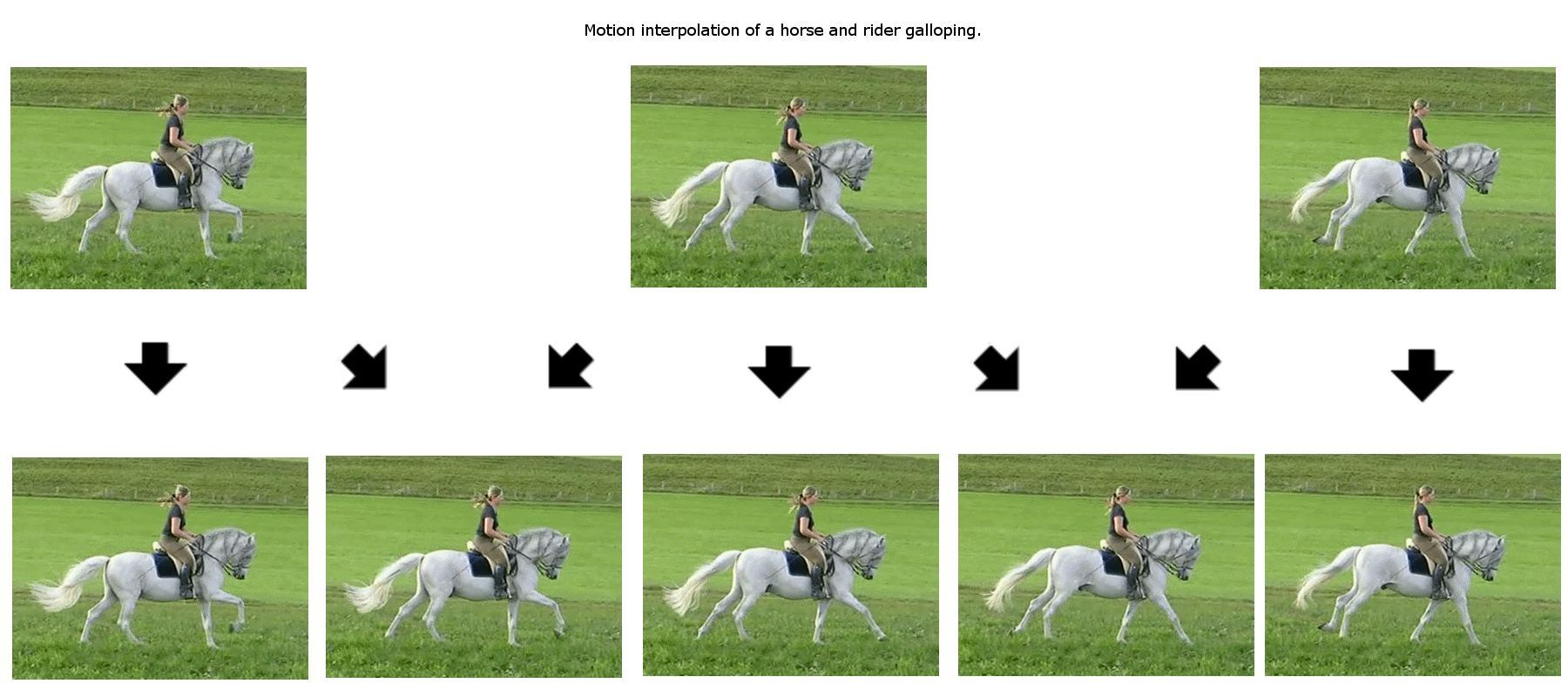
Temporal frame motion interpolation in generative AI video architectures
Comparison Table: Video Generation
| Tool Name | Key Feature | Free Tier | Max Length | Pros |
|---|---|---|---|---|
| Runway Gen-3 | Photorealistic motion | Limited | 10s | Industry leader, camera controls |
| Sora (OpenAI) | Object permanence | No | 60s | Best-in-class physics and consistency |
| Kling AI | Chinese Sora competitor | Yes | 3m | High motion fidelity, accessible now |
| Luma Dream Machine | Fast generation | Yes | 5s+ | Great at animating static photos |
| Pika Labs | Lip-syncing | Yes | 3s+ | Region modification, sound effects |
| Veo 2 (Google) | 1080p Cinematic | Waitlist | Varies | Deep cinematic language understanding |
1. Runway (Gen-3 Alpha)
Description: Runway is the pioneer of generative AI video. Gen-3 offers photorealistic human motion and incredible camera controls (pan, tilt, zoom).
- Key Features: Text-to-video, Image-to-video, precise camera controls.
- Pros: Extremely realistic, great for commercial B-roll.
- Cons: The credit system is very expensive.
2. Sora (OpenAI)
Description: The model that shocked the world. Sora understands physical consistency—if a character walks behind a sign, they emerge on the other side looking exactly the same.
- Key Features: Up to 60 seconds of HD video, incredible fluid dynamics.
- Pros: Unmatched physical simulation.
- Cons: Still heavily restricted to select creators; not fully public.
3. Kling AI
Description: Developed by Kuaishou (China), Kling is the first widely accessible model that truly competes with Sora in terms of long generation and complex physics.
- Key Features: Can generate up to 3-minute videos with extensions.
- Pros: Available to the public now, excellent object permanence.
- Cons: Interface and outputs occasionally bleed Chinese text.
4. Luma Dream Machine
Description: Luma excels at speed. It generates high-quality 5-second clips in under 120 seconds, making it fantastic for rapid iteration.
- Key Features: Image-to-video excellence.
- Pros: Fast generation, generous free tier.
- Cons: Complex motion (like running or fighting) often results in deformed subjects.
5. Pika Labs
Description: Pika is highly stylized and offers unique features like adding automatic sound effects and lip-syncing audio to your generated characters.
- Key Features: Lip-sync, region modification (inpainting video).
- Pros: Excellent for anime/3D styles, great audio integration.
- Cons: Motion is generally less realistic than Runway Gen-3.
6. Veo 2 (Google)
Description: Google’s answer to Sora. Veo specializes in understanding advanced cinematic terminology (like “35mm lens, shallow depth of field, anamorphic flare”).
- Key Features: 1080p generation, cinematic prompt understanding.
- Pros: Flawless cinematic aesthetic.
- Cons: Locked behind Google Labs waitlists for most users.
🎵 Category 4: Music & Audio
For creating full songs, background tracks, voiceovers, and podcasts.

Spectrogram frequency analysis of an AI-generated musical composition
Comparison Table: Music & Audio
| Tool Name | Focus | Free Tier | Pricing | Key Feature |
|---|---|---|---|---|
| Suno | Full Music / Songs | Yes | $8/mo | Unbelievably catchy full songs |
| Udio | High-Fidelity Music | Yes | $10/mo | Audiophile quality, classical structures |
| ElevenLabs | Voiceover & TTS | Yes | $5+/mo | The most realistic human voices |
| PlayHT | Podcast / Conversational | Yes | $39/mo | Great emotional control in voice |
| Descript | Audio Editing | Yes | $12/mo | Edit audio by deleting text |
1. Suno
Description: Suno generates complete, radio-ready songs (vocals and instrumentation) from a simple text prompt. It understands genre blending perfectly.
- Pros: Incredibly catchy, supports multiple languages, fast generation.
- Cons: Vocals can occasionally sound slightly metallic or compressed.
2. Udio
Description: Founded by ex-Google DeepMind researchers, Udio focuses on high-fidelity, studio-quality audio. It allows for intricate track extensions and specific structural tags (Chorus, Verse, Bridge).
- Pros: Audiophile-level sound quality, excellent for classical or jazz.
- Cons: Slightly steeper learning curve to control structure than Suno.
3. ElevenLabs
Description: The absolute industry standard for Text-to-Speech (TTS) and voice cloning. It powers almost every AI voice you hear on YouTube and TikTok.
- Pros: Voices breathe, pause, and emote like real humans. Flawless cloning with just 1 minute of audio.
- Cons: The character-count pricing model gets very expensive for long-form audiobooks.
4. PlayHT
Description: A strong competitor to ElevenLabs, focusing heavily on conversational, multi-speaker podcast generation.
- Pros: Incredible control over the emotion of the voice (e.g., making the voice whisper, cry, or shout).
- Cons: The interface can be slightly clunky for simple tasks.
5. Descript
Description: A revolutionary audio/video editor. It transcribes your audio, and you edit the timeline simply by deleting words in the text document. It includes “Overdub,” which clones your voice to fix mistakes you made while recording.
- Pros: Massive time saver for podcasters and YouTubers.
- Cons: Advanced AI voice features require higher paid tiers.
💻 Category 5: Coding & Development
For software engineers, data scientists, and anyone looking to automate scripts.

AI-assisted pair programming: augmenting developer workflows with intelligent code synthesis
Comparison Table: Coding Tools
| Tool Name | Type | Free Tier | Pricing | Best Feature |
|---|---|---|---|---|
| Cursor | Full IDE | Yes | $20/mo | “Composer” writes entire multi-file features |
| Windsurf | Full IDE (Agentic) | Yes | $15/mo | “Cascade” acts autonomously across files |
| GitHub Copilot | IDE Extension | Students | $10/mo | Reliable inline autocomplete while typing |
| Aider | Command Line | Free | Bring API | Pairs with Git, edits files directly |
| Amazon Q | IDE Extension | Yes | $19/mo | Enterprise legacy code upgrades |
| Codeium | IDE Extension | Yes (Free) | Pro $15/mo | Incredible free alternative to Copilot |
1. Cursor
Description: A fork of VS Code, meaning all your extensions work perfectly. Cursor integrates AI into the editor itself. The “Composer” feature allows you to prompt the AI to build a feature, and it will edit 5 different files simultaneously to make it happen.
- Pros: The ultimate productivity multiplier for developers.
- Cons: Requires a subscription for unlimited premium model usage.
2. Windsurf (by Codeium)
Description: The newest competitor to Cursor. Windsurf introduces “Agentic AI.” Instead of just writing code, the “Cascade” feature deeply understands your entire codebase, runs terminal commands, reads errors, and fixes them autonomously.
- Pros: Incredible deep context awareness.
- Cons: Still evolving; occasional UI bugs compared to Cursor.
3. GitHub Copilot
Description: The original AI coding assistant. It lives inside your IDE (VS Code, IntelliJ) and autocompletes your code as you type.
- Pros: Industry standard, highly reliable, trusted by enterprises.
- Cons: In-line autocompletion is great, but it struggles to build entire multi-file architectures compared to Cursor.
4. Aider
Description: A command-line tool that pairs directly with Git. You tell Aider what you want in the terminal, it edits the files, and automatically commits the changes to Git with a descriptive commit message.
- Pros: 100% open source (you just pay for API keys). Flawless Git integration.
- Cons: No graphical user interface. You must be comfortable in the terminal.
5. Amazon Q Developer
Description: AWS’s enterprise-focused assistant. It excels at explaining massive legacy codebases.
- Pros: Unmatched ability to upgrade legacy code (e.g., migrating an entire Java 8 app to Java 17).
- Cons: Heavily focused on the AWS ecosystem.
6. Codeium
Description: The absolute best free alternative to GitHub Copilot. It offers highly responsive autocomplete and an excellent chat interface for VS Code and JetBrains.
- Pros: The free tier is incredibly generous and fast.
- Cons: Enterprise features are locked behind the paid tier.
📊 Category 6: Data Analysis & Notebooks
For analyzing spreadsheets, PDFs, and unstructured data.

End-to-end data preparation, exploratory analysis, and visualization pipeline
1. NotebookLM (Google)
Description: A brilliant tool by Google. You upload up to 50 sources (PDFs, text, URLs). The AI acts as an expert only on those sources, completely eliminating hallucinations.
- Key Feature: “Audio Overviews” – It generates a highly realistic, 10-minute conversational podcast featuring two AI hosts discussing your uploaded documents.
- Pros: 100% Free. Incredible study tool. Zero hallucinations.
2. Julius AI
Description: Specifically designed for Data Science. You upload an Excel or CSV file. Julius writes Python code in the background, executes it, and generates beautiful charts and statistical analysis.
- Pros: Makes complex data science accessible to non-programmers.
- Cons: Requires clean, structured data to work flawlessly.
3. ChatGPT Advanced Data Analysis
Description: Built natively into ChatGPT Plus. When you ask it a math or data question, it writes and runs a Python script in a secure sandbox to find the exact answer, rather than guessing via language models.
- Pros: Seamless integration; handles large Excel files well.
- Cons: Can time-out or crash if the dataset is several gigabytes.
4. Claude Artifacts
Description: While not strictly a data tool, Claude’s Artifacts UI is incredible for visualizing data. You can paste raw JSON or CSV data, and ask Claude to “Build an interactive React dashboard for this data.”
- Pros: Generates visual, interactive UI components instantly.
- Cons: Cannot execute backend Python code like ChatGPT.
🖥️ Category 7: Local & Open Source
For privacy, offline use, and avoiding regional censorship. You run these directly on your computer.
1. LM Studio
Description: The “iTunes of Local AI.” LM Studio provides a beautiful graphical interface to browse Hugging Face, download open-source models (like Llama 3), and chat with them offline.
- Pros: Extremely easy to use. 100% private.
- Cons: Requires a modern computer with high RAM and preferably a dedicated GPU or Apple Silicon.
2. Ollama
Description: A lightweight, command-line tool for running LLMs locally. It is incredibly fast and exposes a local API, making it the favorite tool for developers building local AI apps.
- Pros: Fast, developer-friendly, integrates with thousands of open-source projects.
- Cons: Terminal-based out of the box (requires third-party web UIs for a chat interface).

Local, private, offline execution of open-source models using Ollama CLI

Mixture-of-Experts (MoE) and Multi-Head Latent Attention (MLA) architecture enabling highly efficient model serving
3. GPT4All
Description: Designed to democratize AI. GPT4All focuses on running highly compressed models on everyday laptops that do not have expensive graphics cards.
- Pros: Runs on standard CPUs. Accessible to everyone.
- Cons: Because the models are heavily compressed (quantized), they are slightly less intelligent than their full-size counterparts.
4. Jan
Description: An open-source, beautifully designed desktop alternative to ChatGPT that runs local models. Similar to LM Studio but entirely open-source.
- Pros: Clean UI, completely open-source.
- Cons: Smaller model repository compared to LM Studio.
5. text-generation-webui (Oobabooga)
Description: The ultimate power-user tool for local LLMs. It exposes every possible technical parameter, allowing you to load specific model formats and apply fine-tuning modules.
- Pros: Ultimate granular control.
- Cons: Interface is clunky and requires significant technical knowledge.
🗺️ Decision Framework: Which Tool for Which Task?
Stop guessing. Memorize this exact mental map:
- Researching verifiable facts with citations? ➡️ Perplexity AI or Microsoft Copilot.
- Writing a deeply nuanced essay or complex code? ➡️ Claude 3.5 Sonnet.
- Solving intense math, logic, or algorithmic problems? ➡️ DeepSeek R1 or OpenAI o1/o3.
- Analyzing a 200-page PDF or 1-hour video? ➡️ Google Gemini 1.5 Pro or NotebookLM.
- Absolute privacy for company IP or client data? ➡️ LM Studio (Offline Llama 3).
- Generating the absolute best photorealistic art? ➡️ Midjourney v6.
- Writing flawless text/logos on an image? ➡️ Ideogram or Flux.
- Building a full-stack web application? ➡️ Cursor or Windsurf.

Taxonomy of deep generative models: GANs, VAEs, Autoregressive Models, Flow-based Models, and Diffusion Models
⚖️ How to Evaluate New AI Tools (The Framework)
When a new AI tool launches on Twitter or ProductHunt, do not blindly subscribe. Run it through this strict 4-point checklist:
- Is it just a Wrapper?
- Check: Many “new” AI startups are just expensive UI wrappers connected to OpenAI’s API. If an app charges $30/mo for a “PDF summarizer,” realize you can do that for free in Gemini. Look for tools that build custom models or highly specialized workflows.
- Does it offer a unique Workflow / UX?
- Check: Tools like Cursor succeed not because they have a secret AI model, but because they integrate AI directly into the coding workflow, saving time. If a tool doesn’t save you clicks, skip it.
- What foundational model is under the hood?
- Check: If the startup isn’t transparent about whether they use GPT-4, Claude, or an open-source model, be skeptical of their claims about “super intelligence.”
- Is the data private? (Enterprise Check)
- Check: Read the Terms of Service. Will they use your proprietary business data to train their models? Major enterprise tiers (ChatGPT Enterprise, Copilot Pro) guarantee zero training. Free tiers usually train on your data.
🛠️ Comprehensive Hands-on Workshop Exercise
Task: The Multimodal Agency Pipeline
You are going to act as a one-person creative agency. Your goal is to create a commercial-grade asset pipeline using exactly 5 different tools.
- Research (Perplexity): Go to Perplexity and prompt: “What are the top 3 trending visual styles for high-end tech branding in 2024? Provide concrete aesthetic descriptions.”
- Ideation (Claude): Take the summary from Perplexity and paste it into Claude. Prompt: “Based on these trends, write 3 highly detailed image generation prompts for a futuristic laptop. Use descriptive lighting and camera terminology (e.g., volumetric lighting, 35mm lens).”
- Image Generation (Copilot/Ideogram): Take those prompts to a free image generator and generate the images. Pick the best one.
- Animation (Luma Dream Machine): Upload your generated image to Luma. Prompt it to: “Slow cinematic pan from left to right, dramatic lighting shift.”
- Audio (Suno): Go to Suno and prompt for a 30-second “Cyberpunk synthwave background track.”
- Conclusion: You just created a high-end, commercial-grade video ad using 5 different AI tools in under 20 minutes for $0.
⚠️ Deep Dive: Common Pitfalls in Tool Usage
- Tool Hopping Syndrome: The biggest productivity killer. Spending more time testing new AI tools than actually doing the work. Pick 3 reliable tools (e.g., ChatGPT for reasoning, Claude for writing, Perplexity for search) and master them deeply. Stop chasing the shiny new toy every week.
- Ignoring Free Tiers: You do not need a $20/month subscription immediately. The free tiers of Claude, ChatGPT, and Gemini are incredibly powerful. Exhaust them before pulling out your credit card.
- The “Golden Hammer” Fallacy: Assuming one AI is best at everything. If you try to force ChatGPT to generate a flawless UI mockup, you will fail. Use Claude for that. If you try to force Perplexity to write a creative novel, it will fail. Use the right tool for the job.
- Paying for Mobile “Scam” Wrappers: Beware of apps charging $10/week on mobile app stores just to give you standard AI chat. Always download the official, free apps from the actual creators (OpenAI ChatGPT, Anthropic Claude, Google Gemini).
← Previous | 🏠 Home | Next →